🖥️ How to Edit the Footer Menu on Your Website
The footer menu is an essential part of your website. It usually contains your address, contact information, icons, social links, images, and important navigation links.
With CloudMySite’s Website Builder, you can customize your footer easily and professionally.
✏️ What You Can Customize in the Footer
- Address & Contact Information
- Icons (Phone, Email, Social Media)
- Text & Hyperlinks
- Images
- Font, Color & Typography
- Footer Background Color
🔧 Step 1: Click to Edit Footer Elements
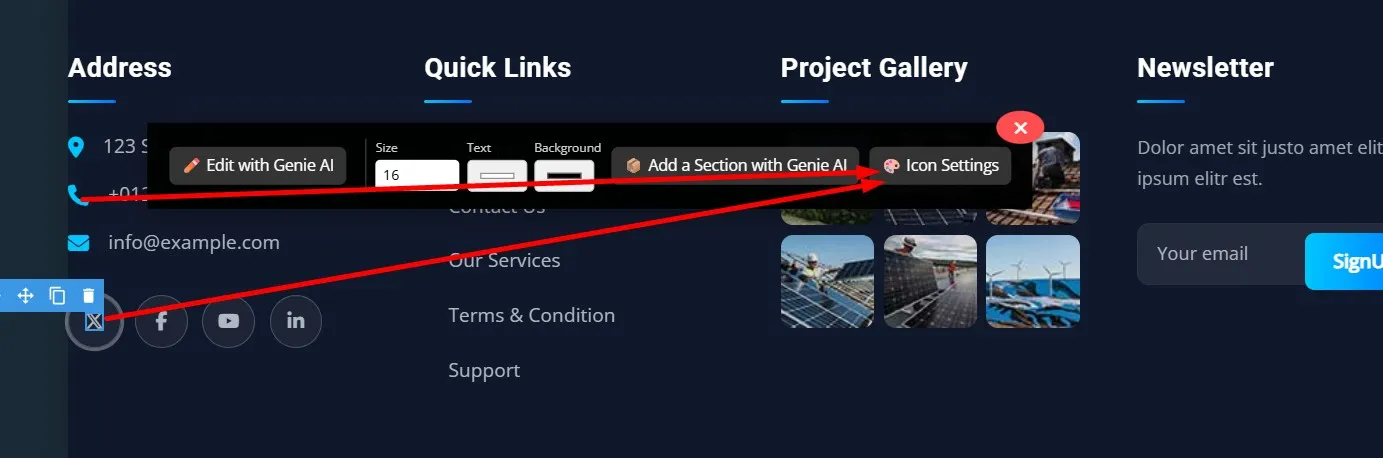
To edit any part of your footer (icons, text, or links):
- Click on the element you want to change
- The Settings Panel will appear on the right side
- You can update text, icon settings, icon background color, and more
📞 Step 2: Update Contact Details
To change phone number, email, or address:
- Click on the Phone or Email Icon
- Open Icon Settings
- Replace the number or email
- Save your changes
📱 Step 3: Replace Social Media Icons
If you want to replace a social media icon (Example: Twitter → Instagram):
- Click on the Twitter icon
- Open the Icon Settings panel
- Replace the link (e.g., Instagram profile URL)
- The icon will automatically update
🖼️ Step 4: Change Footer Images
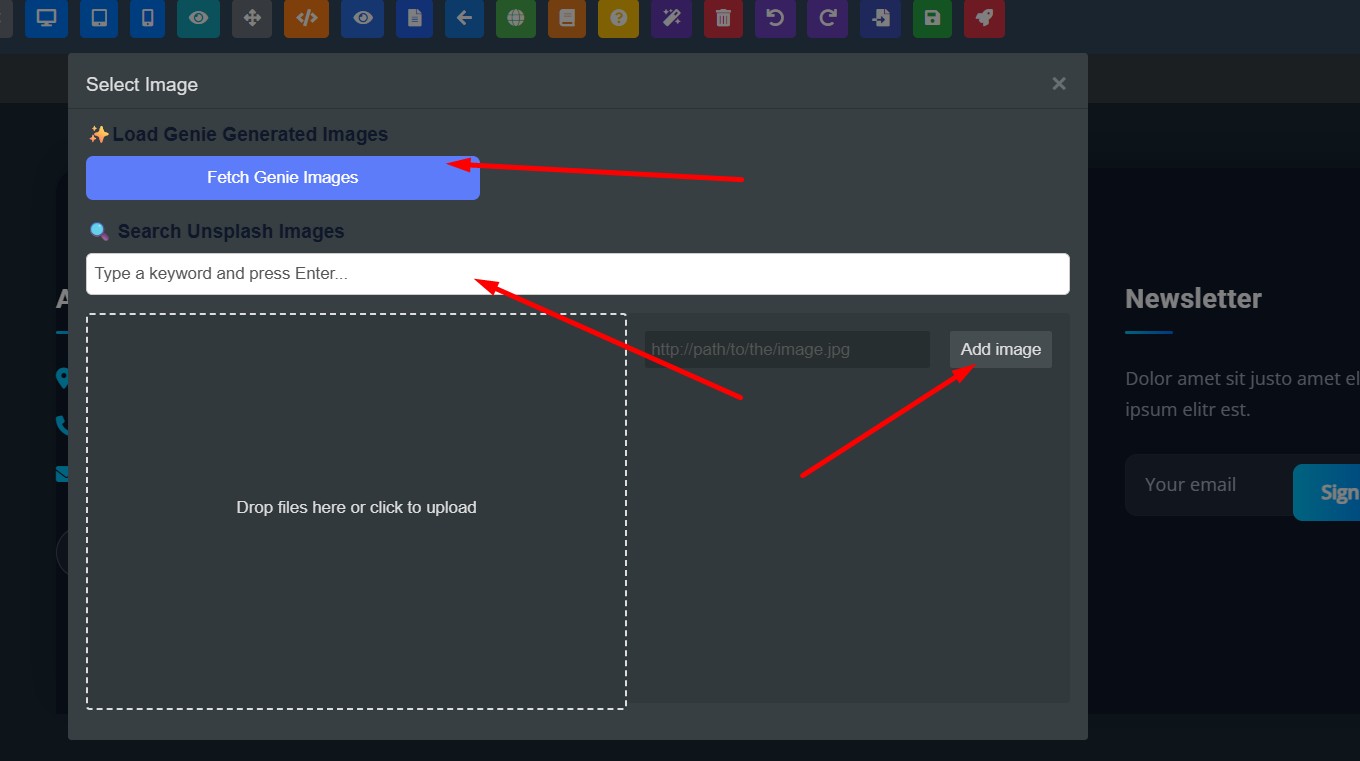
To update logos or images inside the footer:
- Click on the image area
- Three options will appear:
- Upload your own image
- Select from Image Library
- Generate an AI image related to your business
- Select your choice → The image updates instantly
🎨 Step 5: Change Footer Background Color
To modify footer background:
- Click on the footer background area
- Open Background Settings
- Change the color code (e.g., from
#122012to new color)
🔤 Step 6: Update Footer Text Font & Color
To adjust text style:
- Click on any footer text
- Go to Typography / Font Settings
- Update:
- Font color
- Font style
- Background color
- Save changes
✅ Final Result
After completing these steps, you will be able to:
- Update all contact details
- Replace or add social media icons
- Change footer images
- Customize background & font colors
- Fully redesign your footer to match your brand identity
Your footer will now look professional, polished, and brand-aligned.