Saving, Drafts & Review Flow
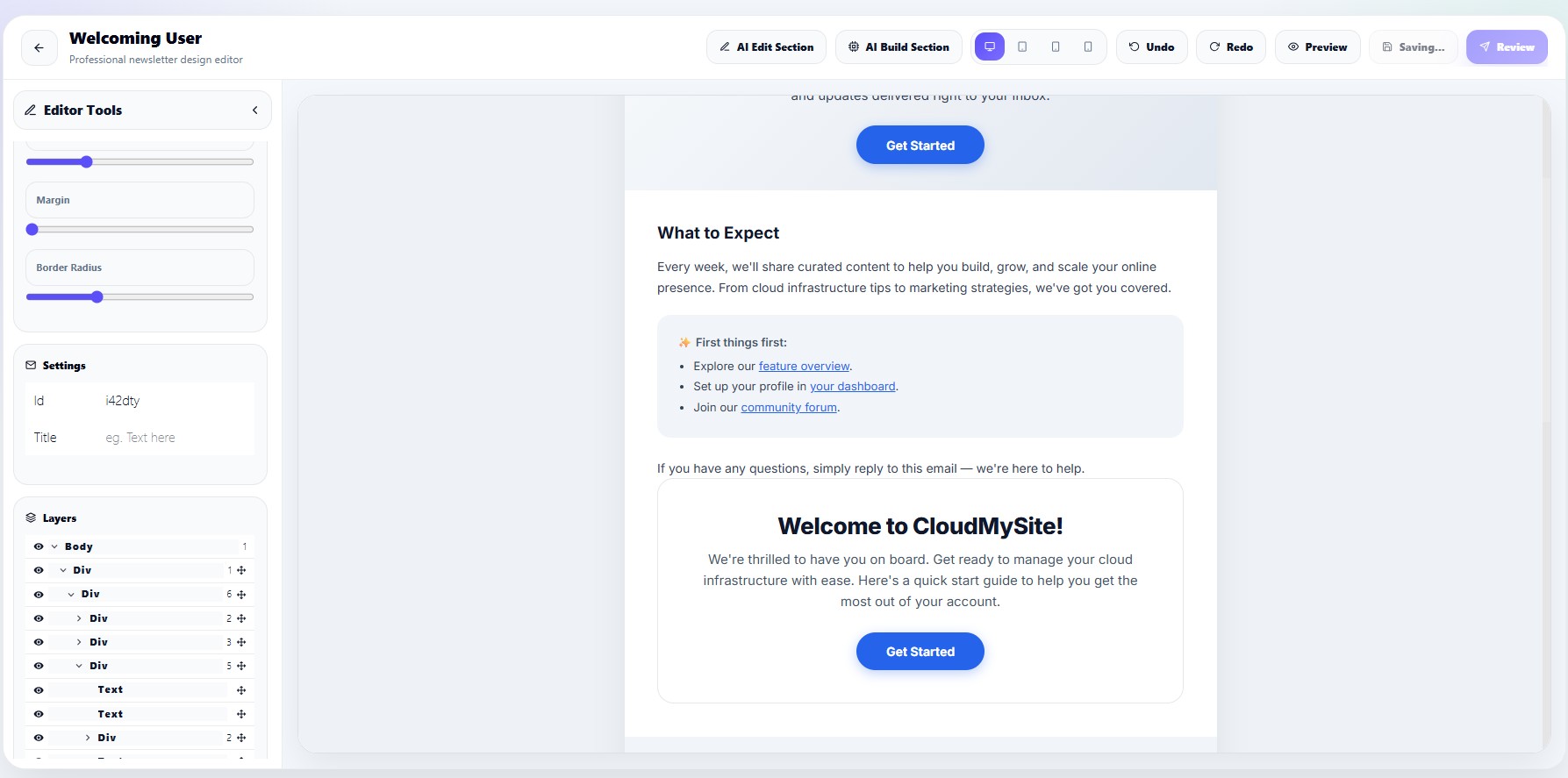
The Campaign Editor automatically prepares newsletters for publishing by saving HTML, CSS, text versions, and campaign status data.
Users can:
- Save drafts
- Sync campaign storage
- Open review mode
- Generate plain text versions
- Prepare email-safe HTML
Save draft workflow
When users click Save Draft, the editor generates:
- Full HTML email
- CSS styles
- Inline CSS email version
- Plain text version
The editor then uploads the newsletter content into campaign storage.
Draft status
Campaigns remain in:
draft
status until they are scheduled or sent.
Review workflow
Clicking:
Review Campaign
runs this flow:
Save Draft
→ Generate email-safe HTML
→ Generate plain text version
→ Store campaign assets
→ Open Review & Send page
HTML email generation
The editor builds complete email HTML including:
- Email title
- HTML body
- Inline CSS
- External font links
Plain text generation
A plain text version is automatically created by:
- Removing HTML tags
- Removing scripts
- Cleaning whitespace
- Simplifying content
This improves email compatibility for clients that do not fully support HTML.
External stylesheets
The editor also supports external stylesheets such as Google Fonts.
Example:
https://fonts.googleapis.com
Storage synchronization
Campaign drafts are synced using campaign storage APIs.
Saved data includes:
| Field | Description |
|---|---|
| html | Full newsletter HTML |
| css | Newsletter CSS |
| text | Plain text version |
| status | Campaign status |
Draft recovery
When reopening a campaign, the editor restores:
- Saved HTML
- Saved CSS
- Text version
- Campaign metadata
This allows users to continue editing from where they left off.
Preview before publish
Before publishing, users should:
- Save draft
- Review responsive layouts
- Send test email
- Verify subject line
- Verify unsubscribe link
- Check mobile rendering