Campaign Editor Overview
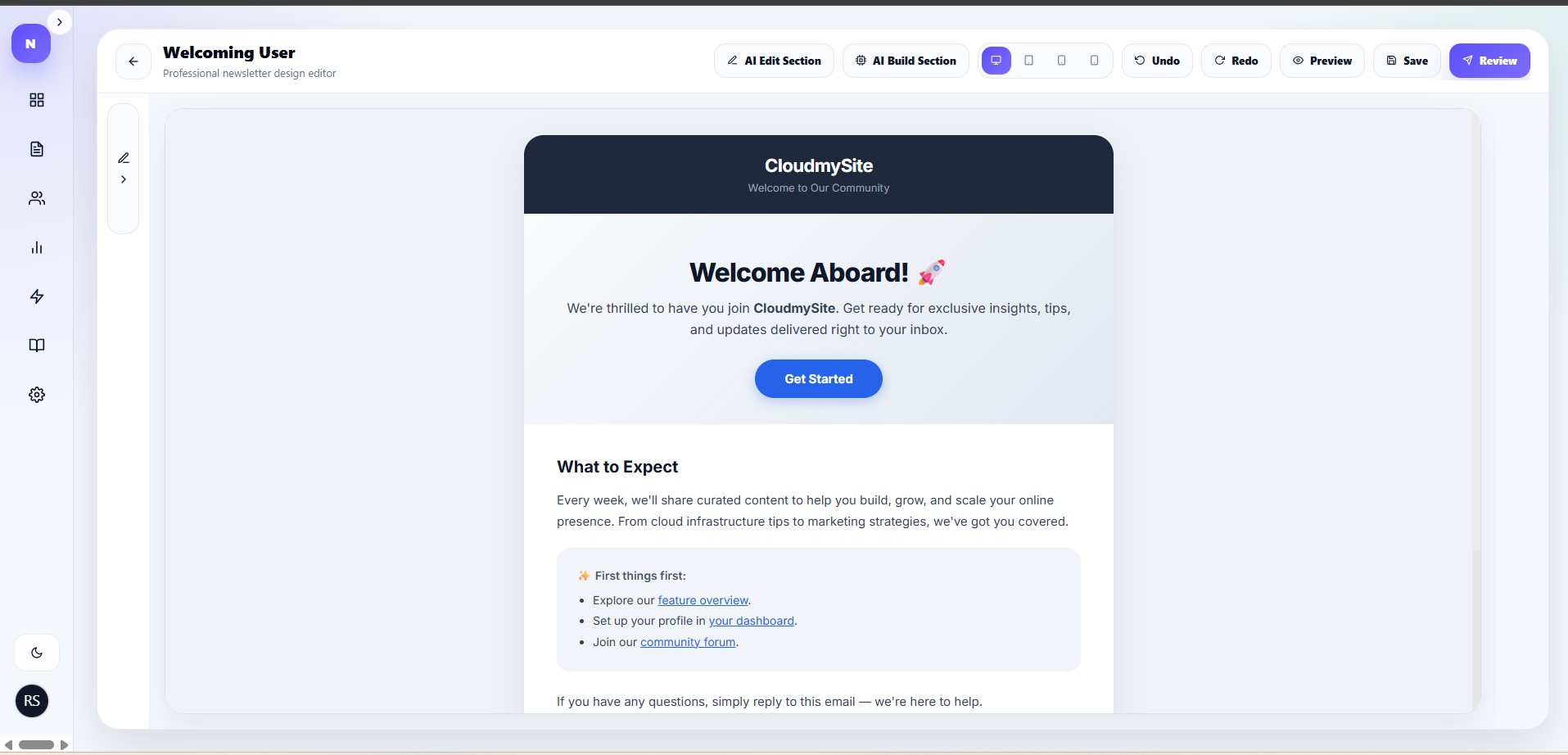
The Campaign Editor is a visual drag-and-drop newsletter builder powered by GrapesJS.
Users can:
- Design newsletters visually
- Add sections
- Add images
- Build layouts
- Edit styles
- Use AI editing tools
- Preview responsive designs
- Save campaigns
Editor layout
The editor contains:
- Blocks panel
- Layers panel
- Style panel
- Traits panel
- Main canvas
- Device preview controls
- Save and review controls
Supported devices
Users can preview newsletters for:
| Device | Description |
|---|---|
| Desktop | Full desktop width |
| Tablet | Tablet preview |
| Mobile Portrait | Narrow mobile view |
| Mobile Landscape | Landscape mobile view |
Initial content loading
The editor loads:
- Existing campaign HTML
- Template HTML
- Scratch layout
depending on how the campaign was created.
Saving drafts
The Save Draft action stores:
- HTML
- CSS
- Plain text version
- Draft status
Review flow
Clicking Review automatically saves the draft before opening the review page.